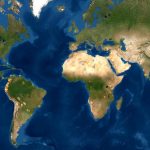
Maps of WLT Conservation Project Areas

We know how important it is for supporters to be able to see just where their donations are used. This page provides links to maps that show just where the WLT supported wildlife reserves are located throughout the world.

Google Map of WLT conservation project areas

Interactive map of WLT's conservation project areas

See a zoomable Google Map of our project areas on WLT's multimedia website Wildlife Focus. Each conservation project area included on the map features a summary about the project with links to images, videos and more information.

View selected wildlife reserves in Google Earth

Explore selected WLT supported wildlife reserves in Google Earth

Google Earth file  View WLT reserves in Google Earth (kmz file, opens in Google Earth). You will need to have Google Earth installed on your computer to view this file. Download Google Earth here - it's free.

For each reserve you can see an outline of the protected area, a selection of photos and information on species and habitats protected in the reserve. (See below for viewing tips.)


How to view the wildlife reserves in Google Earth

  1. Click on the Google Earth link above. This launches Google Earth.
  2. You can browse all the wildlife reserves using the navigation tools (top right of the Google Earth screen).
  3. To fly directly to a specific reserve, look in Places > Temporary Places > World Land Trust Conservation Project Areas on the left in Google Earth. This lists all the reserves currently featured.

More maps from our project areas

Share |

WLT is a Limited company registered in England & Wales No. 2552942 | Registered charity no. 1001291
© Copyright World Land Trust 2013 | Content and Copyright: Terms of Use